Below is my old model of a Frireblade 1000RR I modeled during summer. I went through a Maya book I got from the library and got the following. Inside there includes Final gathering, Caustic lights, image based lighting and some more stuff.
Archive | 4:29 pm


Making The UV’s: Bad UVing!
29 Nov
This is the first UV map I created for my character, yes I was lazy with the spikes and horns but as they are going to be just a near enough solid colour I thought a Planar map of them would be enough. However the major problem is the head, as you can see I was lazy with this as i was having problems. I Planar mapped it and split it into two UV’s to paint each side of the face. This is bad, mainly because as the texture reaches the top of the head it gets stretched because of the poor UV map.
Now to make sure my UV’s were ok before creating all my textures I tested my model with a few wood pictures off google. Here you can see the problems and thats why it is good to consistantly test your model, if its wrong go back. Especially with the rigging and UV’s its harder to go back once you have done it all. In the case of weights you have to redo them all!
Here is my pictures showing you the bad UV’s;
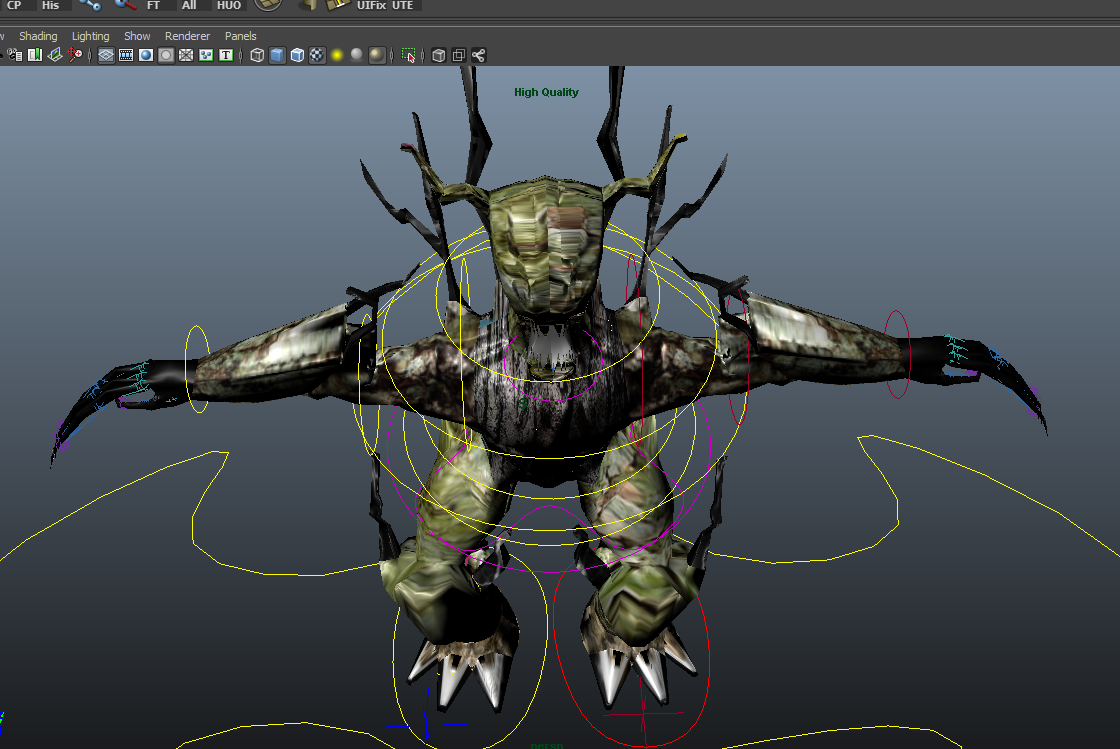
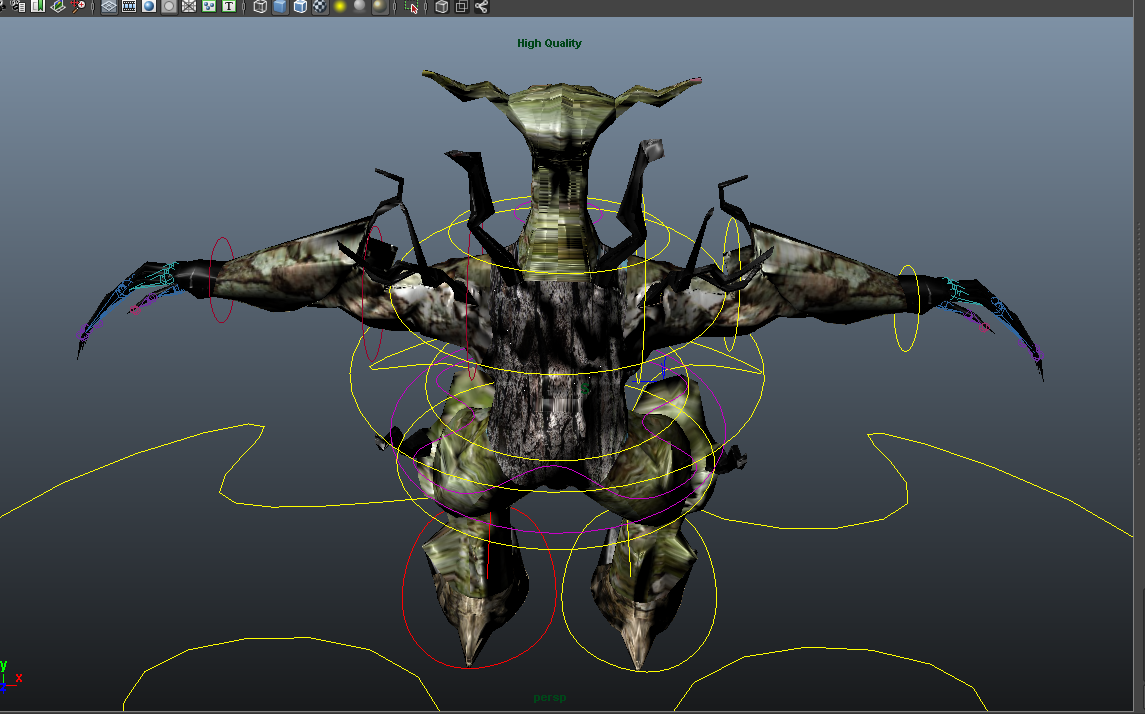
So to improve this I went back (yes it meant I had to undo my weights and hard work, I learned the hard way) and created this UV map.

As you can see the Head has a changed UV, I created this by splitting the UV and unfolding. The model now textures a lot better despite the UV map still not being the cleanest.
Making The UV’s: Model UV’s
29 NovThis is probably one of the hardest parts I have found so far in making the model as I have never changed the UV’s on my models before and especially on some of my other fun self directed projects I found a problem with UV’s. Well after completeing it all (some of it could be better) I have found some do’s and don’ts of creating the UV’s.
1. When creating the UV’s make sure you have cut the UV’s in the best location (this also should be thought about when making your model as the edges play an important part in this).
2. Cut a seam as well as possible down one half of the model, imagine unpeeling a banana after you have cut down the skin on one side, this is the same for UVing.
3. At first I selected the edges fro the top of the cut seam, down the non cut side. (basically the non cut side) I then clicked unfold and while this works you end up with a more mirrored UV, this is best used ONLY for fingers and spikes etc. For UVing the body head and other such items I found just selecting a SINGLE vertice and clicking unfold it unfounds the modles UV around a point giving a much nice UV to work with in my opinion.
 Edge RSS Feed
- An error has occurred; the feed is probably down. Try again later.
 Cusicusi's Blog